Field guide · At Work Everywhere
AI for Pastors & Church Leaders
Somebody has already shown you a sermon it wrote in nine seconds. Sunday comes anyway — and so do the bulletin, the board packet and the forty small messages.
Words for this work: pastor, minister, church, priest, youth pastor, worship leader, deacon, chaplain, congregation, sermon, ministry, elder.
The short answer
For pastors & church leaders, the writing an AI chat tool is genuinely good at is the writing around the work rather than the work itself: the clerical side of sermon and teaching prep, the bulletin, the newsletter, the forty small messages, board packets, minutes, policy drafts, the annual report, website, funerals-and-weddings paperwork, community letters, the admin that eats sermon mornings and your day off, and the visitor follow-up and outreach you keep postponing. Chapter by chapter that is about ten and a half hours in a normal week — That’s ten and a half hours in a normal week. Your first week will be slower — you’re learning a tool. By week three, the numbers above are realistic. Chapter 12 gives you the 30-day plan to get there.
What it does not do: your job. It does not the clerical side of sermon and teaching prep for you without you reading it first. And it has one dangerous habit worth knowing before you type anything into it. The AI’s one dangerous habit: stating false things (Scripture references, famous-preacher quotes, phone numbers, “facts”) in a confident voice. The industry calls it “hallucination.” The fix is the 60-second check: numbers, promises, rules, citations.
Where the hours go
Six blocks of writing, largest first, as the book counts them. The chapter each one is worked through in is on the right. These are the figures from this book's own promise page — the same table for all twenty-five books is on one page here.
- The clerical side of sermon and teaching prep~2.5 hoursChapter 4
- The bulletin, the newsletter, the forty small messages~2 hoursChapter 5
- The visitor follow-up and outreach you keep postponing~2 hoursChapter 9
- Board packets, minutes, policy drafts, the annual report~1.5 hoursChapter 6
- The admin that eats sermon mornings and your day off~1.5 hoursChapter 8
- Website, funerals-and-weddings paperwork, community letters~1 hourChapter 7
That’s ten and a half hours in a normal week. Your first week will be slower — you’re learning a tool. By week three, the numbers above are realistic. Chapter 12 gives you the 30-day plan to get there.
The eight kinds of writing
The 150 prompts in the book are grouped the way the work is grouped. It is the shape of a week for pastors & church leaders, whether or not you ever buy anything: if your week looks like this list, the tool has somewhere to start.
- 1–15Setup & Voice15 prompts
- 16–40Sermon & Teaching Prep25 prompts
- 41–65Congregational Communication25 prompts
- 66–85Church Operations20 prompts
- 86–105Community Presence20 prompts
- 106–120The Pastoral Workload15 prompts
- 121–145Outreach & Growth25 prompts
- 146–150Admin & Momentum5 prompts
All 150 titles are listed free, and twelve are printed in full.
Three of the prompts, in full
Not a sampler: these are the three the book itself rates highest. Its promise page values six blocks of writing in hours, and these come from the three worth the most — one prompt each, printed as they stand. The bracketed parts are where you type; everything else is the wording. Nine more are printed in full on the prompt page for this book, and every one of the 150 is listed there by name.
“I’m preaching [PASSAGE] on [DATE]. Here are my raw study notes — my own reading and my commentaries, typed scraps and dictation: [PASTE/RAMBLE]. Organize into a study sheet: CONTEXT & BACKGROUND (only what I gave you), KEY TERMS & LANGUAGE NOTES, INTERPRETIVE QUESTIONS I RAISED, POSSIBLE DIRECTIONS I MENTIONED, and GAPS — questions my notes raise but don’t answer. Add no commentary content of your own; keep my citations attached to their points.”
“Build this week’s bulletin from my scraps. Sections in order: THIS SUNDAY (sermon [TITLE], text [PASSAGE], series [SERIES]); ANNOUNCEMENTS (each under 50 words, warm, plain, date/time/place/contact, [CONFIRM] tag on anything I didn’t specify); LOOKING AHEAD (3 weeks, one line each); SERVE THIS WEEK ([SLOTS/HOLES]). No exclamation points, no clichés, nothing invented. Scraps: [PASTE].”
“Build our [CHRISTMAS/EASTER] communication plan working backward from [SERVICE DATES/TIMES]: week-by-week from six weeks out — website and listing updates first (service times are what searchers want), member invite-card text, two social posts weekly (warm, plain, no countdown hype), press/community-calendar submission, day-before volunteer logistics email, and the day-after guest follow-up plan. All drafted with [BRACKETS] for our facts. Tone: the town’s church with the porch light on — never a product launch.”
What to check, every time
Four kinds of box repeat through every task chapter. Two of them are the reason this is a book for pastors & church leaders and not a book about AI.
COPY THIS
a ready prompt. Copy it, change the [BRACKETED] parts, paste it in.
TRY IT NOW
a five-minute exercise using your own real work. Do these. They’re the whole point.
WATCH OUT
where the AI gets things wrong on this task, and the 60-second check that catches it.
RULES CORNER
the boundary flag: what never goes into a chat window, and why.
The words, in this trade
The plain-English AI vocabulary is on the series glossary. These are the ones specific to pastors & church leaders — where the tool meets the paperwork that already has a name.
- Team/business account
- The ~$25–30/user tier with contractual data protections and admin controls. The right tier once staff and key volunteers use AI weekly. The covenant rules don’t relax there.
- ChMS (church management system)
- Planning Center, Breeze, and their class. Where member data, giving records, and attendance live — and stay. Consumer AI tools never see what’s inside.
- CCLI-class licensing
- The copyright coverage for projected worship lyrics — with a *separate* license for streaming the music. Chapter 10, Rule 5: church use is not a copyright exemption.
If you start on Monday
The order matters more than the effort. Chapter 1 is “Your Head Start”, and it is about what you already know. Chapter 2, “The 30-Minute Setup”, is thirty minutes of setup you do once. Chapter 3 is “How to Talk to It” — the one real skill, and everything after it assumes you have it. The last chapter, “Your First 30 Days”, is a dated plan rather than advice.
You can read the entire opening argument, Sunday Comes Anyway, without buying anything: 2,200 words, about 10 minutes.
Questions people actually ask
Can AI do the clerical side of sermon and teaching prep for pastors & church leaders?
It can write the draft; you still decide. This is the single biggest block of time in the trade — the book puts it at 2.5 hours a week in chapter 4 — and the prompt library gives it 25 worded prompts under “Sermon & Teaching Prep”. The titles of all 150 are listed free.
Will AI replace pastors & church leaders?
No, and this series argues the opposite at length. It is a good tool for words: it does the writing around the job, not the job. The book's own line is “this book will never suggest that AI write your sermon. Chapter 4 draws that line in ink and explains why it holds. Second: nothing about your people — no name, no confession, no counseling detail, no prayer request tied to a person — ever goes into an AI tool. Chapter 10 treats that as what it is: not a software policy, a covenant.” The whole opening argument is free to read, 2,200 words, no sign-up.
Where does AI get things wrong in this work?
In one specific way, and it is worth knowing before you start. The AI’s one dangerous habit: stating false things (Scripture references, famous-preacher quotes, phone numbers, “facts”) in a confident voice. The industry calls it “hallucination.” The fix is the 60-second check: numbers, promises, rules, citations. Every task chapter carries a WATCH OUT box: where the AI gets things wrong on this task, and the 60-second check that catches it.
What should never go into a chat window?
That question has its own box in every task chapter — the boundary flag: what never goes into a chat window, and why. — and its own chapter: The Rules You Can’t Afford to Break. The short version is that the compliance line for pastors & church leaders is not the same as the one for any other trade, which is why there are twenty-five books instead of one.
Do I need to pay for ChatGPT or Claude to do this?
Not yet. The free tiers carry you through this book’s exercises and your first weeks of real use. You’ll know it’s time to pay (about $20/month) when you hit the daily limits during a normal workweek — that’s the signal the tool is earning a line in the budget. Chapter 11 covers what the money buys and how to explain it to the finance committee in one sentence.
How long before it actually saves time?
That’s ten and a half hours in a normal week. Your first week will be slower — you’re learning a tool. By week three, the numbers above are realistic. Chapter 12 gives you the 30-day plan to get there.
The book this comes out of
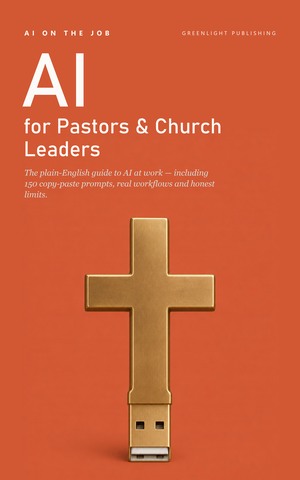
AI on the Job: Pastors & Church Leaders Edition
Twelve chapters. 150 prompts you can paste as they stand. A glossary written for people nobody bothered to tell, and thirty days to make it stick. Every figure on this page is from it.