Field guide · At Work Everywhere
AI for Event & Wedding Planners
Somewhere in your inbox is a checklist you did not write. It puts book florist and finalize the floor plan on consecutive lines. Nobody is planning Saturday but you.
Words for this work: event planner, wedding planner, event coordinator, weddings, venue manager, banquet, party planner, event manager, catering, day-of coordinator.
The short answer
For event & wedding planners, the writing an AI chat tool is genuinely good at is the writing around the work rather than the work itself: writing proposals and inquiry replies in the evening, client updates, decision nudges, the hard emails, vendor rfps, quote comparisons, confirmation emails, review replies, case studies, portfolio captions, timelines, run-of-shows, checklists, debriefs, and marketing you keep putting off until the off-season. Chapter by chapter that is about eleven hours in a normal week — That’s eleven hours in a normal week — more in engagement season, when the inquiries stack up. Your first week will be slower; you’re learning a tool. By week three, the numbers above are realistic. Chapter 12 gives you the 30-day plan to get there.
What it does not do: your job. It does not writing proposals and inquiry replies in the evening for you without you reading it first. And it has one dangerous habit worth knowing before you type anything into it. The AI’s one dangerous habit: stating false things (prices, timeline math, contract terms, vendor policies) in a confident voice. The industry calls it “hallucination.” The fix is the 60-second check: numbers, promises, rules.
Where the hours go
Six blocks of writing, largest first, as the book counts them. The chapter each one is worked through in is on the right. These are the figures from this book's own promise page — the same table for all twenty-five books is on one page here.
- Writing proposals and inquiry replies in the evening~3 hoursChapter 4
- Client updates, decision nudges, the hard emails~2 hoursChapter 5
- Vendor RFPs, quote comparisons, confirmation emails~2 hoursChapter 6
- Timelines, run-of-shows, checklists, debriefs~1.5 hoursChapter 8
- Marketing you keep putting off until the off-season~1.5 hoursChapter 9
- Review replies, case studies, portfolio captions~1 hourChapter 7
That’s eleven hours in a normal week — more in engagement season, when the inquiries stack up. Your first week will be slower; you’re learning a tool. By week three, the numbers above are realistic. Chapter 12 gives you the 30-day plan to get there.
The eight kinds of writing
The 150 prompts in the book are grouped the way the work is grouped. It is the shape of a week for event & wedding planners, whether or not you ever buy anything: if your week looks like this list, the tool has somewhere to start.
- 1–15Setup & Voice15 prompts
- 16–40Inquiries & Proposals25 prompts
- 41–65Client Communication25 prompts
- 66–85Vendor Coordination20 prompts
- 86–105Reviews & Portfolio20 prompts
- 106–120The Event Machine15 prompts
- 121–145Marketing & Growth25 prompts
- 146–150Admin & Momentum5 prompts
All 150 titles are listed free, and twelve are printed in full.
Three of the prompts, in full
Not a sampler: these are the three the book itself rates highest. Its promise page values six blocks of writing in hours, and these come from the three worth the most — one prompt each, printed as they stand. The bracketed parts are where you type; everything else is the wording. Nine more are printed in full on the prompt page for this book, and every one of the 150 is listed there by name.
“An inquiry just came in: [PASTE, real names swapped to FAKE NAMES]. Write my reply: (1) genuine congratulations referencing one specific detail from their message, (2) one sentence on why their date/venue/vision excites me, (3) next step — a free 30-minute discovery call — with two time windows, (4) one light logistical question (date or rough guest count, whichever they didn’t say). Warm, unhurried, under 130 words. No ‘your special day,’ no exclamation-point pileups, no pricing yet.”
“Write this month’s planning update for [FAKE NAMES], [EVENT MONTH]. My notes: [RAMBLE]. Structure: DONE THIS MONTH / DECIDED (running list) / COMING UP (next 30 days) / NEED FROM YOU (each item with a date and why the date matters) / BUDGET CHECK (one line, figures as $____). Warm, brisk, skimmable on a phone. End with one genuinely reassuring sentence that is specific, not generic.”
“Write an RFP email to a [VENDOR TYPE] for [EVENT TYPE] on [DATE] at [VENUE — name only, no client names]: guest count [N], service style [STYLE], service window [TIMES], load-in constraints [DETAILS], style direction [3–5 WORDS], budget bracket $[X]–$[X] for this category, and what I need in the quote: itemized pricing, staffing ratio, included vs. rented, overtime rate, rain/backup policy. Quote by [DATE]. Professional, complete, easy to answer.”
What to check, every time
Four kinds of box repeat through every task chapter. Two of them are the reason this is a book for event & wedding planners and not a book about AI.
COPY THIS
a ready prompt. Copy it, change the [BRACKETED] parts, paste it in.
TRY IT NOW
a five-minute exercise using your own real work. Do these. They’re the whole point.
WATCH OUT
where the AI gets things wrong on this task, and the 60-second check that catches it.
RULES CORNER
the compliance flag: what never goes into a chat window, and why.
The words, in this trade
The plain-English AI vocabulary is on the series glossary. These are the ones specific to event & wedding planners — where the tool meets the paperwork that already has a name.
- Brackets
- The [FAKE NAME] habit: placeholders in every draft, real client and guest data only in your own systems, filled in after the text leaves the chat window. The single habit Chapter 10 is built on.
- BEO (Banquet Event Order)
- The venue’s master document of counts, times, setups, and charges. The AI can cross-check yours against your specs (#73); the venue’s signature makes it real, not the AI’s summary.
If you start on Monday
The order matters more than the effort. Chapter 1 is “Your Head Start”, and it is about what you already know. Chapter 2, “The 30-Minute Setup”, is thirty minutes of setup you do once. Chapter 3 is “How to Talk to It” — the one real skill, and everything after it assumes you have it. The last chapter, “Your First 30 Days”, is a dated plan rather than advice.
You can read the entire opening argument, Nobody Is Planning Saturday But You, without buying anything: 2,198 words, about 10 minutes.
Questions people actually ask
Can AI do writing proposals and inquiry replies in the evening for event & wedding planners?
It can write the draft; you still decide. This is the single biggest block of time in the trade — the book puts it at 3 hours a week in chapter 4 — and the prompt library gives it 25 worded prompts under “Inquiries & Proposals”. The titles of all 150 are listed free.
Will AI replace event & wedding planners?
No, and this series argues the opposite at length. It is a good tool for words: it does the writing around the job, not the job. The book's own line is “this book will not tell you AI is magic. It’s a power tool. It kicks. We’ll show you where.” The whole opening argument is free to read, 2,198 words, no sign-up.
Where does AI get things wrong in this work?
In one specific way, and it is worth knowing before you start. The AI’s one dangerous habit: stating false things (prices, timeline math, contract terms, vendor policies) in a confident voice. The industry calls it “hallucination.” The fix is the 60-second check: numbers, promises, rules. Every task chapter carries a WATCH OUT box: where the AI gets things wrong on this task, and the 60-second check that catches it.
What should never go into a chat window?
That question has its own box in every task chapter — the compliance flag: what never goes into a chat window, and why. — and its own chapter: The Rules You Can’t Afford to Break. The short version is that the compliance line for event & wedding planners is not the same as the one for any other trade, which is why there are twenty-five books instead of one.
Do I need to pay for ChatGPT or Claude to do this?
Not yet. The free tiers of both tools will carry you through this entire book’s TRY IT NOW exercises and your first few weeks of real use. You’ll know it’s time to pay (roughly $20/month) when you hit the free tier’s daily limits during a normal workday — that’s the signal the tool is earning its keep. Chapter 11 covers what the money buys.
How long before it actually saves time?
That’s eleven hours in a normal week — more in engagement season, when the inquiries stack up. Your first week will be slower; you’re learning a tool. By week three, the numbers above are realistic. Chapter 12 gives you the 30-day plan to get there.
The book this comes out of
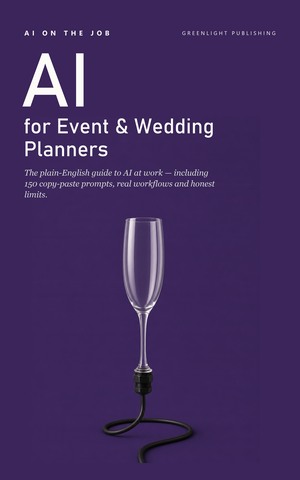
AI on the Job: Event & Wedding Planners Edition
Twelve chapters, 150 prompts ready to paste, a glossary in plain words, and a thirty-day plan you can actually keep. Every figure on this page is from it.